
Every service job from the first call to the invoice
For HVAC, home appliance, elevator and water system companies: log the job, assign a technician, let them close it from the phone with spare parts, and invoice in one click.
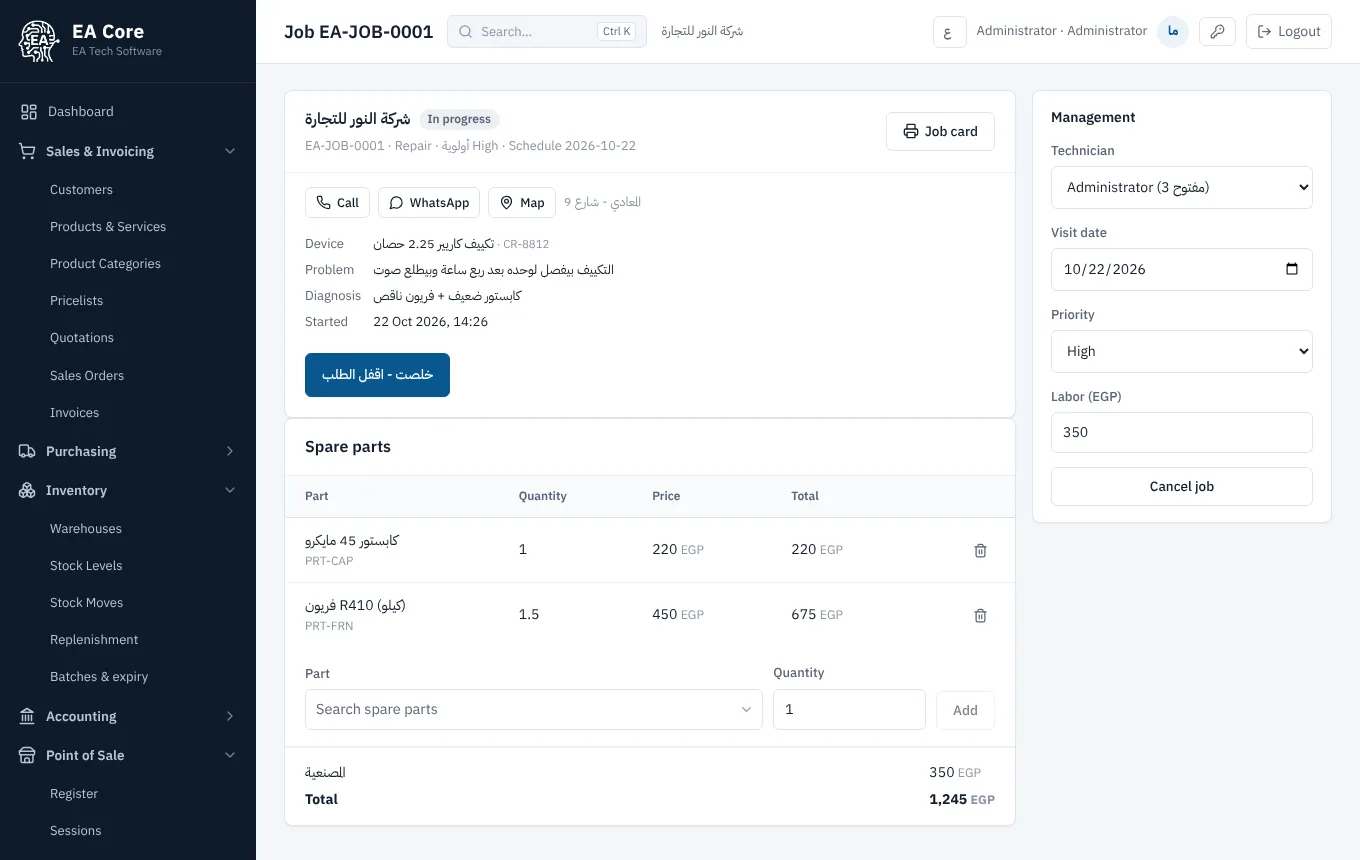
If this sounds familiar, this is for you
- Jobs arrive on WhatsApp and paper, and some get forgotten.
- You do not know what each technician is doing or how many jobs they closed.
- Spare parts leave the warehouse without being charged to the customer.
- Preventive contract visits slip until the customer complains.
What's inside
Jobs with priority and status
Repair, preventive or installation, from low to urgent priority, from new to invoiced.
Mobile technician screen
Technicians see their jobs with address and phone, start and close them, and record diagnosis and resolution.
Parts from stock
Parts the technician installs are deducted from stock and added to the customer invoice.
Contracts with automatic visits
A maintenance contract with a visit every few months; the visit job is created on schedule for the assigned technician.
Customer assets and warranty
Each unit with model, serial, install date and warranty, plus its full service history.
One-click invoice
Labour and parts on one invoice, sent to the e-invoicing system and to the customer.
How it works
Log the job
Customer, unit and problem.
Assign
To a technician with a date.
Technician closes
From the phone with parts.
Invoice
Labour and parts in one click.
Field service is included in the Business plan (EGP 1,990/month for 10 users) and Pro, together with stock, invoicing and accounting.
Compare with Odoo and DaftraFAQ
Do technicians need a laptop?
No. They use their phone; the app installs to the home screen.
Do contracts cover spare parts?
You decide per contract whether parts are free or charged; labour on contract visits is free.
Can I see each technician's performance?
Yes. Open and closed jobs per technician are shown on the service screen.
How are contracts renewed?
Press renew on the contract, and invoice it from the same screen.
Read next
Watch a job being closed from a phone
A 30-minute demo with the units and services you work on, plus a 14-day free trial.